AI Agent Runtime: Cloudflare Computer Combines Isolates and Containers
See how Cloudflare's AI agent runtime uses V8 isolates and containers on demand, with a cost model and escalation checklist for multi-agent engineering teams.
QUICK ANSWER: Technical prerequisites for
@cloudflare/computer
- Use the open-source preview npm runtime in an agent workflow built around an AI SDK-style framework.
- Expose
read,write,edit,ls, andexecthrough the runtime's standard tool surface.- Provide dynamic Workers for supported isolate execution and Cloudflare Containers for work that requires Linux, native binaries, npm, or specialist tools.
- Use the shared SQLite-backed virtual filesystem; the container path accesses the same workspace through FUSE.
- Supply a
backendargument toexecand define the policy, permissions, telemetry, and review conditions for container escalation.
Cloudflare's isolate-and-container AI agent runtime gives engineering and platform teams building multi-agent systems an alternative to a dedicated Linux container per user's agent. Dedicated containers are slow to start and don't scale cleanly across cost or physical compute. The practical output here is a cost model and architecture checklist for deciding when agent work uses an isolate and when it uses Linux.
At Van Data Team, we start by mapping the workflow, tools, data, permissions, retries, review gates, and failure recovery. That turns Cloudflare Computer's design into an operating decision, not a product slogan. Teams building production AI agent workflows can use the worksheet below to test sandbox spend, latency, token use, and backend-selection behavior before changing their architecture.
Key Takeaways
Cloudflare Computer exposes compute selection through a common runtime interface instead of assigning every agent a permanent container.
@cloudflare/computeris an open-source preview that invites developer feedback, not a generally available release.- V8 isolates can handle common work, while Linux containers are available on demand for native binaries, npm, and specialist tools.
- A shared SQLite-backed virtual filesystem keeps files synchronized across both execution paths.
- Teams should record backend choice, selection reason, cost, latency, token use, retries, file changes, and evaluation results.
- The core decision rule is simple: use the least expensive environment that can complete the task safely.
What Cloudflare Shipped With Cloudflare Computer
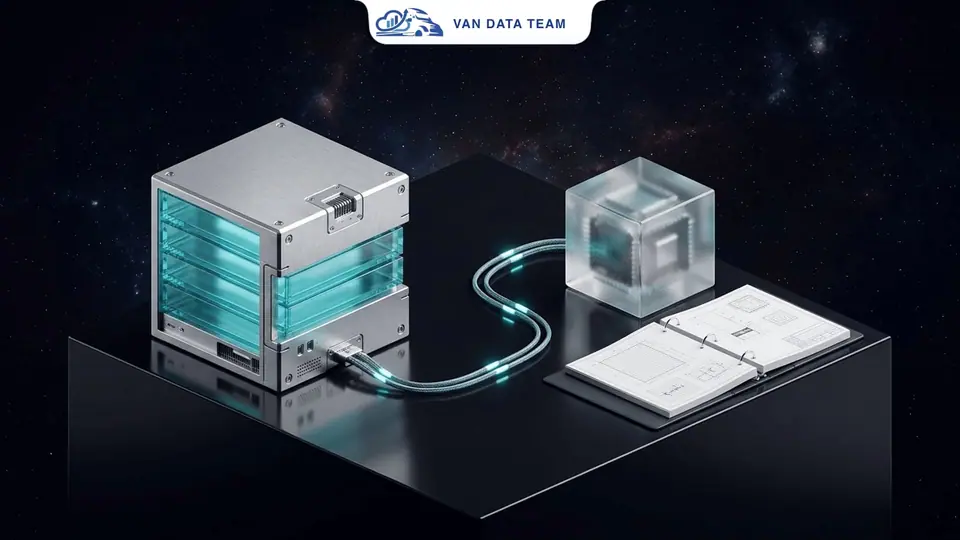
@cloudflare/computer is an open-source npm runtime that lets agents select between lightweight isolates and full Linux containers while preserving a shared workspace.
On August 3, 2026, Matt Carey and Aron Carroll introduced the package as an early preview. Cloudflare opened its 2026 Agents Week on April 12, 2026 around the infrastructure needed to run agents at production scale.
Reported fact. The package exposes read, write, edit, ls, and exec through a standard tool surface. That interface works with AI SDK-style frameworks. The agent requests a tool operation and supplies a backend argument to exec, while the tool description guides the backend choice.
This is an agent runtime, not a container-per-agent model. The distinction matters because the infrastructure choice is presented through a shared tool surface. An agent doesn't need to understand container lifecycle management before it can manipulate files or invoke a supported command.
| Runtime concern | Isolate execution path | Container execution path |
|---|---|---|
| Typical role | Handles the common execution path | Starts only when the requested capability requires Linux |
| Command handling | just-bash translates shell commands into JavaScript in dynamic Workers | Cloudflare Containers run native Linux tools |
| Best fit | File manipulation, structured data processing, and supported shell-like work | Native binaries, npm packages, and specialist tooling |
| Workspace | Reads and writes through the shared virtual filesystem | Accesses the same filesystem through a FUSE mount |
| Infrastructure choice | Selected through exec using a backend argument | Selected when the task's capability requirements call for Linux |
The table reflects the package's preview architecture, not a maturity or performance guarantee. Cloudflare hasn't published package pricing, production adoption figures, or workload-specific savings; its repository includes filesystem benchmarks, not end-to-end agent-runtime benchmarks.
Why Container-per-Agent Breaks the AI Agent Runtime Cost Model
Container-per-agent architecture scales the most expensive execution environment with user count, agent count, concurrency, and retries, even when most work doesn't need Linux.
Cloudflare puts the physical constraint plainly in its primary announcement:
"there's nowhere near enough compute in the world for every company to give each of their users' agents their own containerized compute environment."
The resource gap explains the concern. Build MVP Fast's independent analysis reports that isolates can start within a few milliseconds and use a few megabytes, while containers can take hundreds of milliseconds and hundreds of megabytes. These are directional third-party figures, not official Cloudflare Computer benchmarks.
For a platform serving N users x M agents, user and agent counts are only the first multiplier. Teams must also account for task frequency, concurrent execution, retries, idle lifetime, storage, network traffic, logging, and human review. A small container selection rate may still dominate spend if container tasks run longer or retry more often.
Consider a clearly hypothetical workflow led by Maya, a platform engineer. Her agents inspect repository files, reshape structured data, and summarize logs. A permanent Linux sandbox would provision broad compute for tasks that mainly need file and data operations.
With a policy that favors isolates, those common operations stay on the lightweight path. A container appears only when Maya's workflow calls a native command-line dependency. The useful output isn't an assumed savings percentage. It is a measurable container selection rate tied to actual task classes.
Van Data Team analysis. The mistake we see is grouping spend only by infrastructure service. Agent compute should be mapped back to workflows and capabilities. The same operating discipline used to reduce cloud costs without slowing delivery applies here: identify what created the spend and whether the work required it.
How Cloudflare Computer Exposes Compute Choices
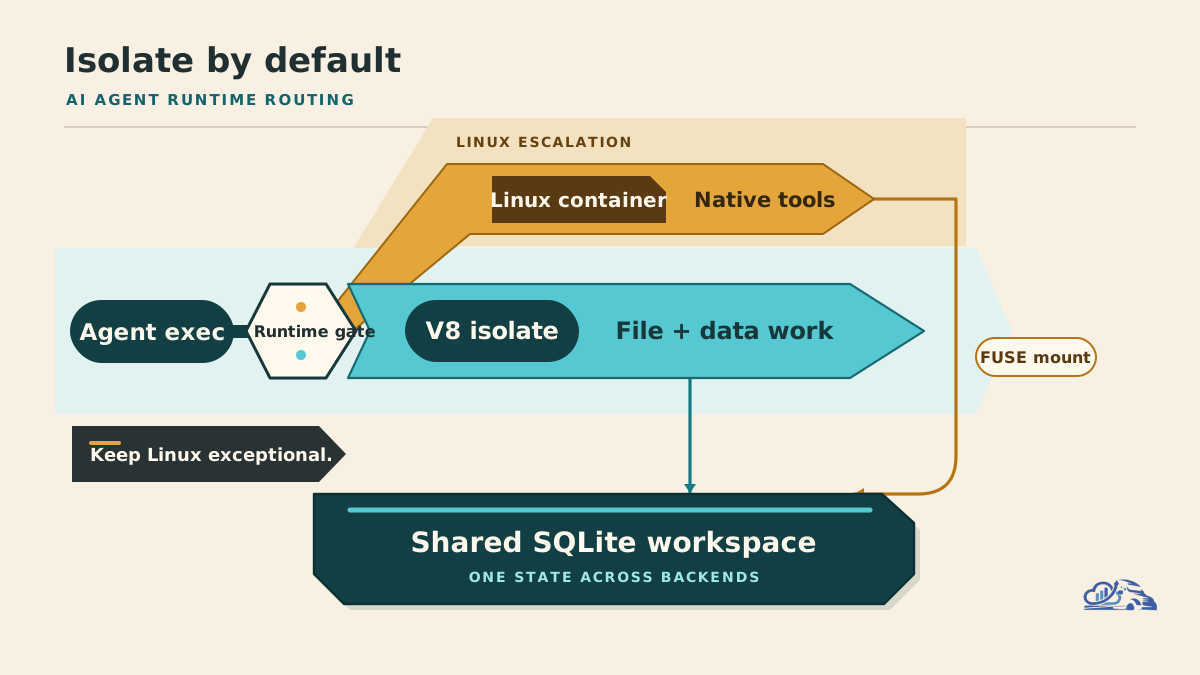
Cloudflare Computer lets agents choose dynamic Workers for file and data work and Cloudflare Containers when a task requires a full Linux environment.
Reported fact. On the isolate path, just-bash translates shell commands into JavaScript that runs inside dynamic Workers. Lightweight V8 isolates provide near-instant startup for supported file manipulation and data processing. The agent continues using familiar shell-like operations without receiving a permanent Linux container.
When a task needs native binaries, npm, or specialist tooling, the agent can select a Cloudflare Containers backend. The container runtime mounts the shared filesystem through FUSE, runs the Linux-dependent work, and keeps the resulting files available to the isolate path.
The execution flow is straightforward: the agent requests a tool, supplies a backend choice to exec, the selected backend runs it, and the result returns through the shared workspace. Infrastructure selection remains exposed through a common runtime interface.
Agent compute decision worksheet
Use this worksheet before moving a workflow to isolate-first execution. It combines capability routing, economics, governance, and evaluation in one review artifact.
Which task types should use the isolate-first default?
Isolate-first default: Supported file manipulation, data processing, or shell-like work translated into JavaScript.
Container-on-escalation trigger: Native binaries, npm, or specialist tools are required.
Required telemetry: Task class, command category, backend, and result.
When does the operating environment require container escalation?
Isolate-first default: No full Linux dependency exists.
Container-on-escalation trigger: The workload needs Linux-specific behavior.
Required telemetry: Dependency, requested capability, and escalation reason.
What permissions should apply before container escalation?
Isolate-first default: Minimum filesystem, secret, and network scope.
Container-on-escalation trigger: Broader access is allowed by an explicit policy.
Required telemetry: Policy result, granted scope, and requesting agent.
How should teams preserve workspace continuity?
Isolate-first default: Read and write through the shared workspace.
Container-on-escalation trigger: Linux access is needed without creating another source of truth.
Required telemetry: Input version, writer, changes, and output hash.
How should teams evaluate the economics of container escalation?
Isolate-first default: Use measured isolate duration and unit cost.
Container-on-escalation trigger: Capability value justifies container cost and latency.
Required telemetry: Unit cost, duration, retries, latency, and token budget.
What safety and quality gates should control escalation?
Isolate-first default: Continue while stop conditions and evaluation thresholds pass.
Container-on-escalation trigger: Block or request review when risk exceeds policy.
Required telemetry: Evaluation result, stop reason, reviewer, and disposition.
Calculate exposure with workload data, not vendor assumptions:
Scale exposure = active users x active agents per user x tasks per agent x container escalation rateRuntime cost = isolate work x measured isolate unit cost + container work x measured container unit cost + storage + network + logging + evaluationEffective task cost = runtime cost + model token cost + retry overhead + human review overhead
KEY METRIC: CONTAINER ESCALATION RATE
What it measures: How often agent tasks select the container path instead of the isolate-first path.
Why it matters: A small container selection rate may still dominate spend if container tasks run longer or retry more often.
How to segment it: Track the rate by workflow, task class, and framework alongside cost, latency, token use, retries, and evaluation results.
Required inputs include billing exports, backend-selection logs, task duration, retry rate, token consumption, and escalation reason codes. Measure concurrency as well. Average task volume can hide sharp peaks that change capacity requirements.
The decision rule is to default to the least expensive capable environment, not the most powerful available environment. An isolate shouldn't run work it can't support safely. A container shouldn't start merely because it is available.
If the workload inventory is incomplete, first turn the operating brief into an executable automation scope. A useful review should produce a task map, dependency list, escalation policy, telemetry schema, evaluation plan, and staged delivery scope.
The Shared Filesystem Is the Stable Substrate
The shared filesystem is the durable workspace that lets agents switch execution backends without creating separate copies of their working state.
Reported fact. Cloudflare Computer keeps a SQLite-backed virtual filesystem synchronized across isolates and containers. The workspace can originate from a git repository or cloud storage. During container use, FUSE exposes that same workspace inside the Linux environment.
Van Data Team analysis. Treat the execution backend as replaceable, but treat workspace provenance as persistent. Every important artifact should retain its source version, freshness status, writing agent, transformation history, selected backend, and output hash.
A synchronized filesystem provides continuity. It doesn't prove that the input was current, approved, or reproduced correctly. Production workflows still need lineage records and data SLAs.
Consider another hypothetical workflow. Arun's research agent normalizes files in an isolate, while a build agent enters Linux to invoke a native dependency. A reporting agent then publishes the output from the shared workspace.
The final file may be technically available to every agent. Without provenance, however, Arun can't determine which source version was used or which backend changed the artifact. Shared storage prevents copy drift. Lineage closes the audit gap.
This is where agent architecture meets data engineering. Reliable pipelines that archive every source file and load it idempotently give agents trustworthy inputs. Runtime flexibility can't compensate for stale or untraceable data.
Governance, Observability, and Evals Before Escalation
Safe container escalation requires least-privilege permissions, explicit capability policies, complete telemetry, stop conditions, and task-specific evaluations.
Start with narrow filesystem, secret, package, and network access. A request for broader compute shouldn't automatically receive broader data access. Define capability allowlists that state which workflows may escalate and which dependencies they may invoke.
Record each agent's backend choice, escalation reason, execution duration, cost, latency, token budget, retry count, and evaluation result. File changes should identify the input version, writing agent, command category, and final disposition.
Stop conditions should terminate repeated tool failures, unbounded planning loops, rising spend, stale-input execution, and failed evaluations. High-impact commands or weak-confidence outputs should pause for human review before continuing.
Evaluation must test more than the final answer. It should check whether the agent chose the correct backend, stayed within permissions, preserved expected files, and stopped when policy required. Recovery tests should confirm that interrupted or failed container work doesn't corrupt the shared workspace.
Monitor container selection rates by workflow, task class, and framework. A global average can hide one planner that selects expensive tools unnecessarily. Unexpected container growth may expose hidden native dependencies, poor task routing, or an agent using Linux as its default escape hatch.
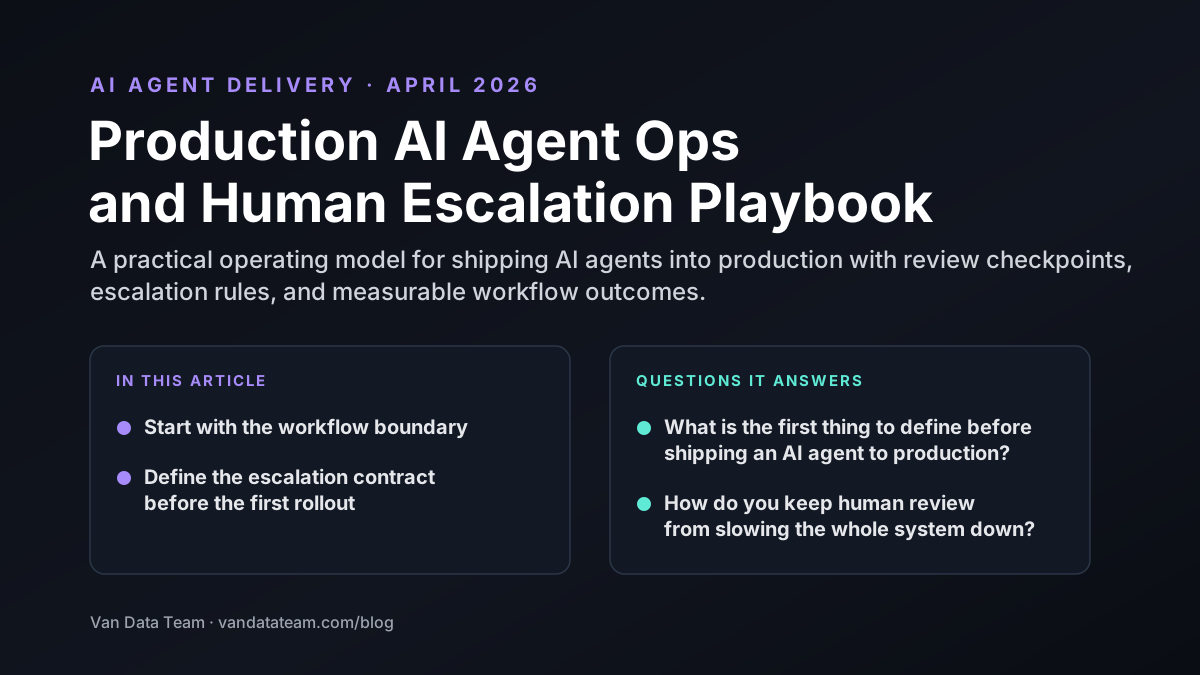
Van Data Team's production agent operations and human escalation playbook provides a practical model for review gates and failure recovery. A runtime assessment should produce an escalation matrix, dashboard requirements, stop policy, eval suite, and incident runbook.
Where Agent Frameworks and MCP Fit
Agent frameworks decide what action to request, while the runtime controls where that action executes, what permissions apply, and what state survives.
LangGraph, LangChain, CrewAI, and Plan-and-Execute patterns organize planning, state, delegation, and multi-step workflows. Native function calling connects model output to typed application functions. MCP provides a standard way to expose tools and context.
These layers are adjacent to the runtime, not replacements for it. A LangGraph node may request a shell operation, but runtime policy should decide whether an isolate can handle it. A CrewAI worker may request a specialist tool, but container selection still needs permission and evaluation.
The connection must be observable. Compare cost, latency, token budget, backend choice, retries, and eval outcomes across workflows and orchestration patterns. A better planner can reduce waste, but it doesn't remove the need for compute limits, reliable data, or recovery behavior.
Framework-level evaluation asks whether the agent chose a useful action. Runtime evaluation asks whether that action ran in the right environment under the right policy. Production teams need both.
Conclusion: Stress-Test the Runtime, Not Just the Model
The right production default is isolate-first, not container-free. Containers remain valuable when an agent genuinely needs Linux, native binaries, npm, or specialist tools. They shouldn't become the permanent baseline for every user's agent.
Cloudflare Computer shows how an AI agent runtime can combine lightweight execution with access to containers when required. Its shared workspace also makes the execution backend replaceable, provided teams maintain freshness, lineage, permissions, and recovery controls.
Start with the worksheet. Measure current task classes, sandbox duration, container selection rate, latency, token use, retries, and eval outcomes. Then compare the observed model with existing sandbox spend.
For teams that want an implementation-ready review, Van Data Team can deliver a workflow map, cost model, escalation policy, telemetry specification, eval plan, and staged delivery scope. Our founder-led delivery approach keeps discovery, architecture, and implementation in one accountable loop.
Van Data Team in practice
How should we choose between isolates and containers for an AI agent runtime like Cloudflare Computer?
Run supported file and data work in isolates, and escalate to Linux containers only when a task needs native binaries, npm or specialist tools, with one shared workspace across both. We map the workflow, tools, data, permissions, retries and review gates, then define the escalation policy and log backend choice, selection reason, cost, latency, token use and file changes per run. We run evals on backend selection before any architecture change.
51 specialised backend controllers on FastAPI and AWS ECS Fargate
Five specialised agents with MEM0 long-term memory

Founder of Van Data Team. Builds Vanaxity, the AI agent system for SEO, GEO, and AEO, and leads data engineering delivery for B2B teams.
About the authorArticle FAQ
Questions readers usually ask next.
These short answers clarify the practical follow-up questions that often come after the main article.
Need a similar system?
If this article maps to a workflow your team already operates, the next step is usually a scoped review of the system, constraints, and rollout path.
Free runtime review
Stress-Test Your Agent Compute Model
Map @cloudflare/computer’s isolate-first execution, container escalation, shared workspace controls, and a measurable cost model for your multi-agent system.
- Isolate-versus-container escalation decision checklist
- Per-agent cost, latency, and token telemetry model
- Shared-filesystem lineage and access-control requirements
- Observability, evaluation, and human review checkpoints
- Prioritized next steps for a safe runtime pilot
Consultation
Scope your next AI workflow.
Share the system and blockers. We will map fit, gaps, and the next step.