May 27, 2026
Building AI agents with Model Context Protocol (MCP): A Practical Guide for Production Teams
Building AI Agents With Model Context Protocol (MCP) guide for production teams: compare workflow fit, risk, cost, review burden, and deployment guardrails.
Article focus
Building AI agents with Model Context Protocol (MCP) means designing an agent that can connect to external tools, services, and data sources through a standard protocol.
Section guide
Building AI agents with Model Context Protocol (MCP) means designing an agent that can connect to external tools, services, and data sources through a standard protocol. MCP helps separate the model's reasoning from the systems it needs to access, but production success still depends on scoped permissions, logging, evaluation, failure recovery, and human review.
The practical problem is simple: a prompt-only agent can answer, but a useful operational agent needs to act. It might retrieve data from a warehouse, inspect job logs, create a ticket, draft a response, or trigger a workflow. The risk is that every new capability also creates a new failure path.
This guide explains the architecture, implementation workflow, examples, framework choices, best practices, and production review criteria for teams considering MCP. If your team is already exploring AI agent development, the goal is not just to connect tools. The goal is to decide which actions the agent should be allowed to take, where review is needed, and how the system recovers when something goes wrong.
Tooling And Landscape Fit
Do not evaluate the topic in isolation. Compare the main approach against adjacent frameworks, orchestration choices, and runtime controls so the reader can see when each option fits.
Review adjacent options such as LangGraph, LangChain, CrewAI, native function calling, MCP before choosing the implementation path.
Key Takeaways
- MCP is an integration protocol, not a complete agent framework. You still need orchestration, permissions, observability, evaluation, and deployment controls.
- The safest MCP workflows separate retrieval, action, and review instead of giving one agent broad access to every system.
- Production teams should log every tool call, tool input, tool output, model decision, review decision, and recovery action.
- Use a framework or platform SDK when it reduces orchestration work, but build custom MCP servers when you need durable integration boundaries around internal systems.
- Human review is most important for irreversible, expensive, customer-visible, compliance-sensitive, or low-confidence actions.
What Is Building AI agents with Model Context Protocol (MCP)?
Building AI agents with Model Context Protocol (MCP) is the process of giving an AI agent a controlled way to discover and use external capabilities through MCP clients and servers. The official MCP documentation describes MCP as a way to connect AI applications with tools and data sources through a common protocol.
In plain language, MCP gives an agent a standard connection layer. Instead of hard-coding every database lookup, API call, file read, or automation step inside the agent, teams expose those capabilities through MCP servers. The agent application uses an MCP client to call those servers when the model needs context or wants to use a tool.
A simple example is an internal data assistant. A user asks, "Why did yesterday's import job fail?" The agent identifies the workflow, calls an MCP tool that retrieves job status, calls another tool that fetches relevant logs, summarizes the likely cause, and sends the answer to a reviewer if the confidence is low or the incident affects a customer-facing process.
MCP does not remove the need for engineering judgment. It gives you a cleaner place to define what the agent can reach, what the tool returns, and how the result should be handled.
The Core Building Blocks
An MCP-enabled agent workflow usually includes these parts:
- Agent application: The application that receives the user request, calls the model, manages state, and decides how to respond.
- MCP client: The piece inside the agent application that connects to MCP servers.
- MCP server: The integration surface that exposes tools, resources, or prompts to the agent.
- Tools: Actions the agent can request, such as querying a table, checking logs, creating a ticket, or calling an internal API.
- Resources: Context the agent can read, such as documents, schemas, file contents, logs, or records.
- Transport: The communication method between the client and server.
That separation is the reason MCP is useful. Your agent logic can evolve separately from the systems it uses.
Why MCP Matters for AI Agent Workflows
MCP matters because many AI agents fail at the same boundary: they can reason about work, but they cannot safely access the systems where the work happens.
A customer operations agent may need order status, CRM notes, policy documents, and a ticketing action. A data operations agent may need pipeline logs, warehouse metadata, and incident history. A research agent may need web data, internal files, and approval before publishing. Without a standard integration pattern, each workflow becomes a custom bundle of prompts, API wrappers, and fragile assumptions.
MCP makes the integration boundary more explicit. It lets teams ask better production questions:
- What context should the agent be allowed to read?
- Which actions are safe to automate?
- Which tools require approval?
- Where do tool calls execute?
- What gets logged?
- How does the system recover from a bad tool result?
A hypothetical operations team illustrates the difference. In the first prototype, the agent has direct access to a broad internal API wrapper. It can fetch records, update statuses, and send customer messages. The demo looks impressive, but the team cannot easily explain which action caused a wrong update. In the second version, the team exposes three narrow MCP tools: lookup order, draft response, and request approval. The agent becomes less flashy, but the workflow becomes reviewable.
That tradeoff is the point. Production AI agents are not judged by how many tools they can call. They are judged by whether they can produce useful outcomes repeatedly, with understandable risk.
How MCP Works: The Production Architecture
The architecture is easier to evaluate when each production boundary is visible:
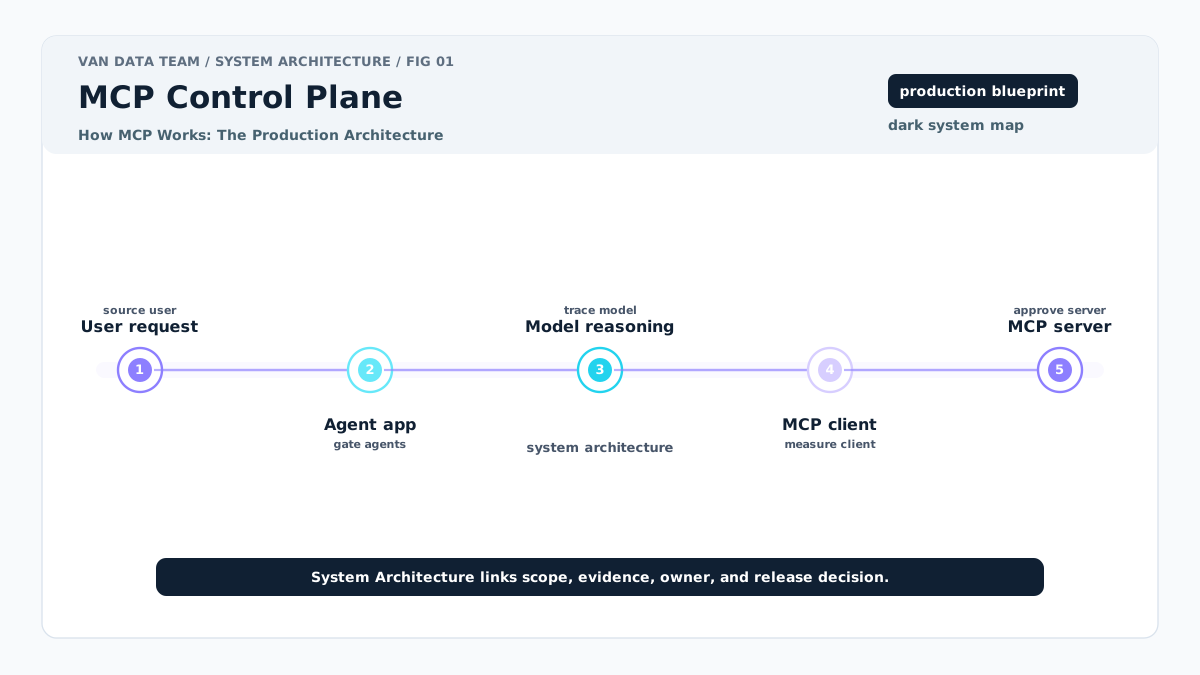
At a high level, the workflow is straightforward. A user asks for something. The agent application sends the request and available tool descriptions to the model. The model decides whether it needs a tool. The MCP client calls an MCP server. The server reaches the underlying system. The result comes back to the model. The agent produces an answer, triggers review, or takes an approved action.
A simplified production flow looks like this:
flowchart LR
 A[User request] --> B[Agent application]
 B --> C[Model reasoning]
 C --> D[MCP client]
 D --> E[MCP server]
 E --> F[Tool, data source, or service]
 F --> E
 E --> D
 D --> C
 C --> G{Risk check}
 G -->|Low risk| H[Final response]
 G -->|Review needed| I[Human review queue]
 I --> J[Approve, edit, reject, or escalate]
The implementation details depend on your stack. For example, the OpenAI Agents SDK MCP documentation covers SDK-level MCP integration considerations, including how MCP servers are wired into agent workflows and how transports affect execution. Platform guides such as Microsoft's Azure MCP agent guide show how MCP can fit into a larger cloud environment.
The production decision is not only "Can we connect this tool?" It is "Where should this call execute, who can authorize it, how do we inspect it later, and what happens if it fails?"
| Component | Role | Production question | Failure mode | Review checkpoint |
|---|---|---|---|---|
| Agent application | Owns the workflow and model calls | What state and policies does it enforce? | Model takes action outside intended flow | Workflow policy review |
| MCP client | Connects the agent to MCP servers | Which servers are reachable? | Wrong server or tool is available | Connection allowlist |
| MCP server | Exposes tools and resources | What is the smallest safe capability set? | Overbroad access to internal systems | Tool scope review |
| Tool | Performs an action or lookup | Is it read-only, reversible, or high impact? | Bad input causes wrong result or action | Risk-based approval |
| Resource | Provides context | Is the data current, permitted, and relevant? | Stale or sensitive context is used | Data access review |
| Transport | Carries messages between components | What network and hosting boundaries apply? | Unreachable service or insecure exposure | Deployment review |
| Logs | Record execution | Can teams reconstruct decisions? | Incident cannot be debugged | Observability review |
How to Get Started Building an MCP Agent
Use this sequence to keep the build centered on the workflow instead of the tool list:
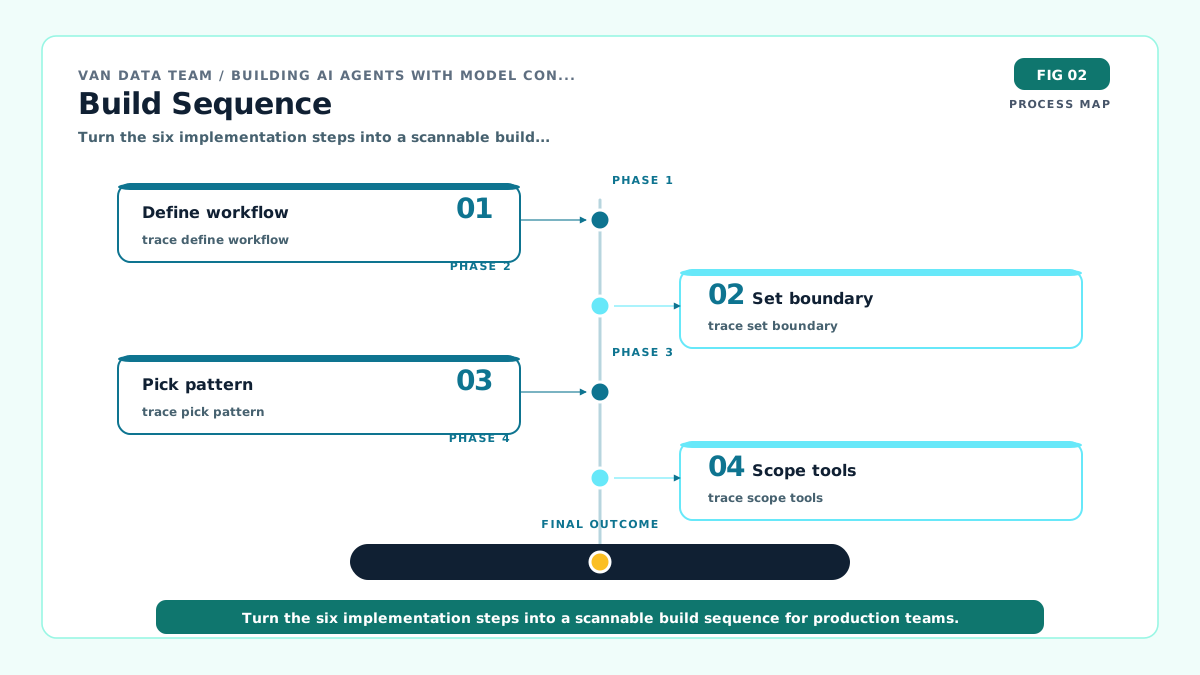
Building AI agents with Model Context Protocol (MCP) works best when you start with a workflow, not a tool list. The team should define the job the agent performs, the systems it needs, and the actions that require review before writing much code.
1. Define The Workflow And Allowed Actions
Write the workflow in operational terms. "Answer data quality questions" is too broad. "Check whether a daily import failed, retrieve the relevant log segment, summarize the suspected cause, and open a draft incident note" is much better.
Then classify each action:
- Read-only lookup
- Draft-only output
- Reversible internal action
- Irreversible internal action
- Customer-visible action
- Compliance-sensitive action
This classification tells you where human review belongs. Van Data Team's guide to AI agents with human review is useful here because review should be designed into the workflow, not bolted on after launch.
2. Choose The Data Source Or System Boundary
Next, decide what the agent actually needs to reach. For a data pipeline assistant, that might include pipeline status, recent logs, schema metadata, and incident history. It may not need write access to production jobs.
For workflows that depend on streaming or operational data, the MCP layer should reflect the data architecture beneath it. If your agent needs near-real-time context, review your ingestion and processing pattern first. A workflow built on delayed or incomplete data will produce delayed or incomplete decisions. For background, see these event-driven architecture with message queues.
3. Pick The Build Pattern
Teams usually choose one of four implementation patterns:
| Build pattern | Best fit | Strengths | Limitations | When to test it |
|---|---|---|---|---|
| Platform SDK integration | Teams already building in a specific AI platform | Faster start, fewer primitives to assemble | Platform choices can shape architecture | When speed matters more than portability |
| Agent framework | Teams need orchestration, memory, tool routing, or multi-agent patterns | Reduces custom workflow code | Framework abstractions can hide failure points | When the workflow has several coordinated steps |
| Custom MCP server | Teams exposing internal systems with strict boundaries | Clear integration ownership and access control | More engineering work upfront | When internal data or actions need durable governance |
| Managed vendor stack | Teams prioritizing delivery speed and support | Packaging, hosting, and managed operations | Less control over internals | When the workflow is common and risk is moderate |
Frameworks can be useful when orchestration is the hard part. For example, the lastmile-ai mcp-agent repository presents a composable framework approach for building agents with MCP. But a framework does not replace product decisions about access, review, and accountability.
4. Expose The Smallest Useful Tool Set
A good MCP server does not expose every API endpoint. It exposes task-specific capabilities with clear names, narrow inputs, and predictable outputs.
For a pipeline assistant, start with tools like:
get_pipeline_statusget_recent_failed_runsfetch_log_excerptcreate_incident_draft
Avoid early tools like run_sql_anywhere, call_internal_api, or modify_pipeline_config unless you have strong permission checks and review gates. Broad tools increase flexibility, but they also increase prompt injection risk, debugging difficulty, and review burden.
5. Add Logging, Permissions, And Review
Before deployment, define the audit record. At minimum, log the user request, selected tool, tool input, tool output, model reasoning summary if available, final response, reviewer decision, and recovery action.
This is also where cost and token budget matter. Tool descriptions, retrieved context, and logs can increase prompt size. Instead of treating cost as a surprise after launch, define a budget per workflow run and evaluate whether each context item is necessary.
Latency deserves the same treatment. A workflow with five serial tool calls may feel slow even if each call is technically successful. Production design should include timeout behavior, fallback responses, and escalation when a dependency is unavailable.
6. Test Normal, Ambiguous, And Unsafe Requests
Happy-path prompts are not enough. Test the agent with realistic ambiguity:
- A user asks for a metric but does not specify a date range.
- A tool returns no matching records.
- A log result includes sensitive content.
- The model tries to call a write tool before review.
- Two data sources disagree.
- A downstream service times out.
The point is not to make the agent perfect. The point is to make failure visible, contained, and recoverable.
Building AI agents with Model Context Protocol (MCP) Best Practices
The best practices for Building AI agents with Model Context Protocol (MCP) are mostly about operational discipline. MCP standardizes access, but it does not automatically make access safe.
Keep Tool Scopes Narrow
A narrow tool is easier to test, monitor, and explain. It should have a specific purpose, typed inputs where possible, and outputs that are easy for the model and reviewers to interpret.
For example, lookup_customer_contract_status is safer than query_crm. The first describes a business task. The second invites the model to improvise.
Separate Retrieval, Action, And Review
Many agent workflows mix three different activities: retrieving context, deciding what it means, and taking action. Separate those steps wherever possible.
A web automation workflow is a good example. The agent may inspect a page, extract structured data, and draft a recommended update. But if the action changes customer-visible content, submits a form, or sends a message, the workflow should require approval. Van Data Team's production web automation work shows why reliability and monitoring matter when automation runs at scale.
Treat MCP Servers As Production Integration Surfaces
An MCP server is not demo glue code once it touches internal systems. It needs versioning, access control, deployment ownership, monitoring, and rollback procedures.
Ask the same questions you would ask of an internal API:
- Who owns it?
- What service account does it use?
- Which environments can it reach?
- What data can it return?
- How are breaking changes handled?
- What happens during downtime?
Evaluate With Real Workflow Cases
Evaluation should reflect the work the agent actually performs. For an operations assistant, test incident lookups, partial data, noisy logs, duplicate records, and escalation paths. For a research assistant, test source quality, citation handling, outdated pages, and refusal behavior.
Score the workflow on practical dimensions:
| Evaluation area | What to inspect | Production signal |
|---|---|---|
| Task completion | Did the agent finish the intended workflow? | Correct outcome or clear escalation |
| Tool selection | Did it choose the right MCP tool? | Relevant calls, no unnecessary actions |
| Context use | Did it rely on the right data? | Accurate summary with traceable source |
| Safety | Did it avoid unauthorized action? | Review triggered when needed |
| Cost | Did it use context efficiently? | No avoidable tool calls or bloated prompts |
| Latency | Did the workflow feel usable? | Timeouts and fallbacks behave predictably |
| Recovery | Did failure stay contained? | Clear retry, rollback, or escalation path |
Design For Review Burden
The review model should match the risk level of the action:
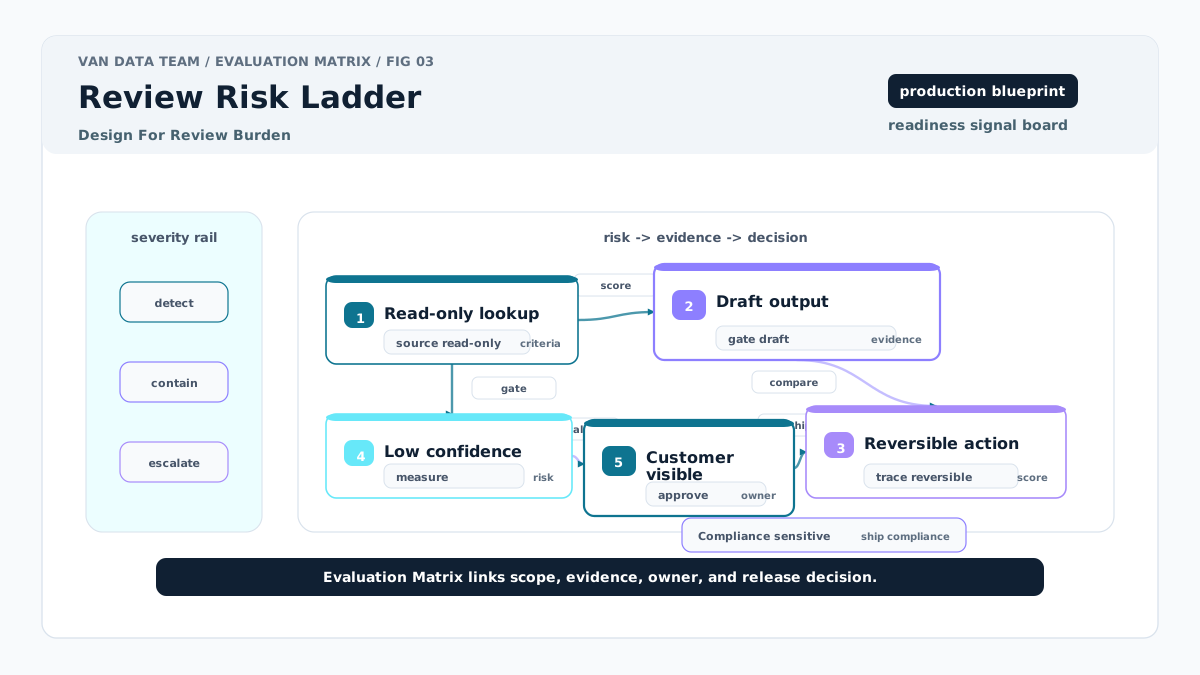
Human review is not free. If every run needs approval, the agent may simply move work from one queue to another. If no run needs approval, risk may be too high.
The practical middle ground is risk-based review. Review irreversible actions. Review customer-visible changes. Review low-confidence answers. Review outputs that cite sensitive data. Let low-risk read-only summaries pass when they meet evaluation thresholds.
A hypothetical data team can use this pattern for incident triage. The agent checks failed jobs and drafts a summary. If the failure matches a known pattern, it posts an internal note. If the failure affects billing data or customer reports, it routes the draft to an owner. The workflow saves time without pretending the model should own the final decision.
A Practical Implementation Artifact
Use this short planning artifact before implementation. It is not an SDK config file. It is a production design checklist that helps engineering, operations, and review owners agree on boundaries before an MCP server is built.
def run_reviewed_step(state, tool):
    if state.risk == "high":
        return {"status": "needs_review", "reason": "risk gate"}
    result = tool(**state.allowed_args)
    if not result.get("evidence"):
        return {"status": "needs_review", "reason": "missing evidence"}
    return {"status": "ready", "result": result}
This kind of artifact prevents a common implementation problem: engineers build a flexible tool, then discover late that operations, security, and compliance expected a narrower workflow.
Common Mistakes To Avoid
The first mistake is treating MCP as a complete agent framework. MCP helps connect the agent to capabilities. It does not decide your planning loop, memory strategy, evaluation harness, permission model, or user experience.
The second mistake is exposing too many tools too early. A broad tool catalog can look powerful in a demo, but it creates more ways for the model to choose the wrong action. Start with the smallest useful set and expand only after review data shows where the workflow is constrained.
The third mistake is skipping permission boundaries because the prototype works. Local demos often run with developer credentials, permissive network access, and limited data. Production systems need service accounts, environment separation, allowlists, and clear ownership.
The fourth mistake is failing to define execution constraints. If a tool call can run locally, remotely, or inside a platform runtime, the team should know which option is being used and why. Execution location affects latency, secrets, network access, logs, and incident response.
The fifth mistake is making claims about accuracy, efficiency, or cost before measurement. MCP can reduce duplicated integration work, and some architectures may reduce context overhead, but your production recommendation should be based on observed workflow data, not generic claims.
Conclusion
Building AI agents with Model Context Protocol (MCP) is a practical way to connect agents to the tools and data they need, but the protocol is only one part of production readiness. The stronger question is not "Can the agent call this system?" It is "Should the agent call this system, under what permissions, with what logs, and with which review path?"
Start with one workflow. Define the allowed actions. Build the smallest useful MCP server surface. Add observability before launch. Evaluate normal, ambiguous, and unsafe cases. Put human review where risk is high and automate only where the workflow is stable.
For teams that want help turning agent ideas into production workflows, Van Data Team supports agent guardrails and escalation, data integration, review design, and implementation planning. You can also review the available Strategy Sprint and engagement options when you are ready to scope the first production use case.
Article FAQ
Questions readers usually ask next.
These short answers clarify the practical follow-up questions that often come after the main article.
Need a similar system?
If this article maps to a workflow your team already operates, the next step is usually a scoped review of the system, constraints, and rollout path.
Book your free workflow review here.
Related articles
View all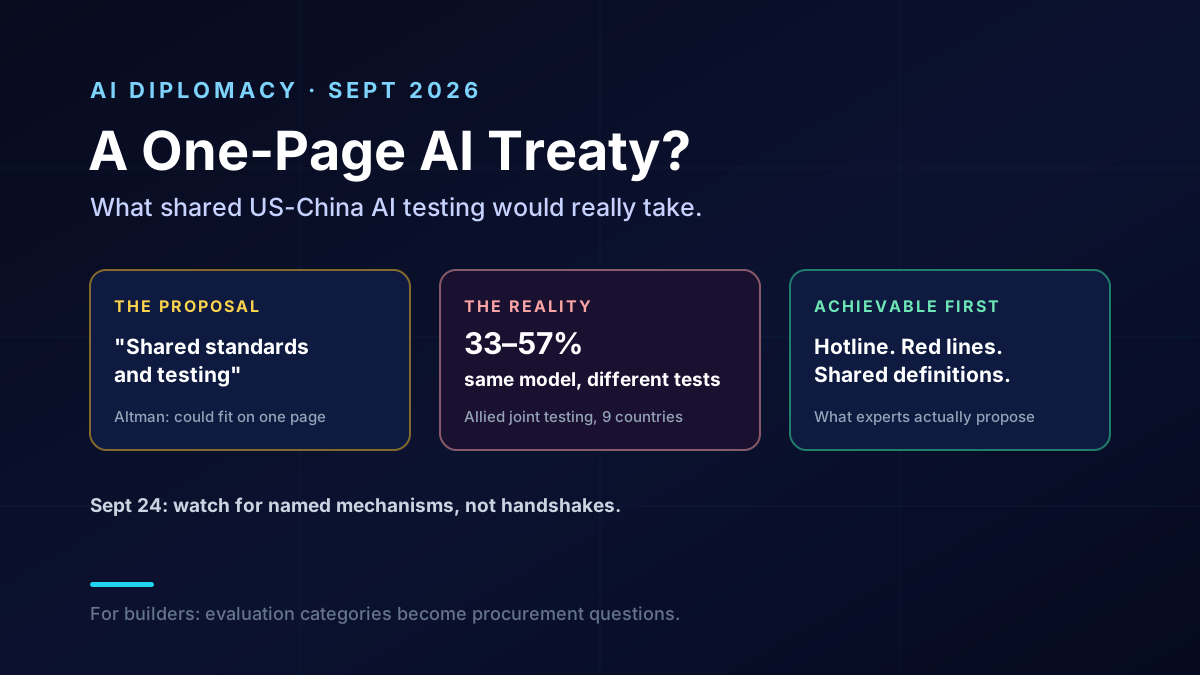
US-China AI Agreement: What Shared Testing Would Take
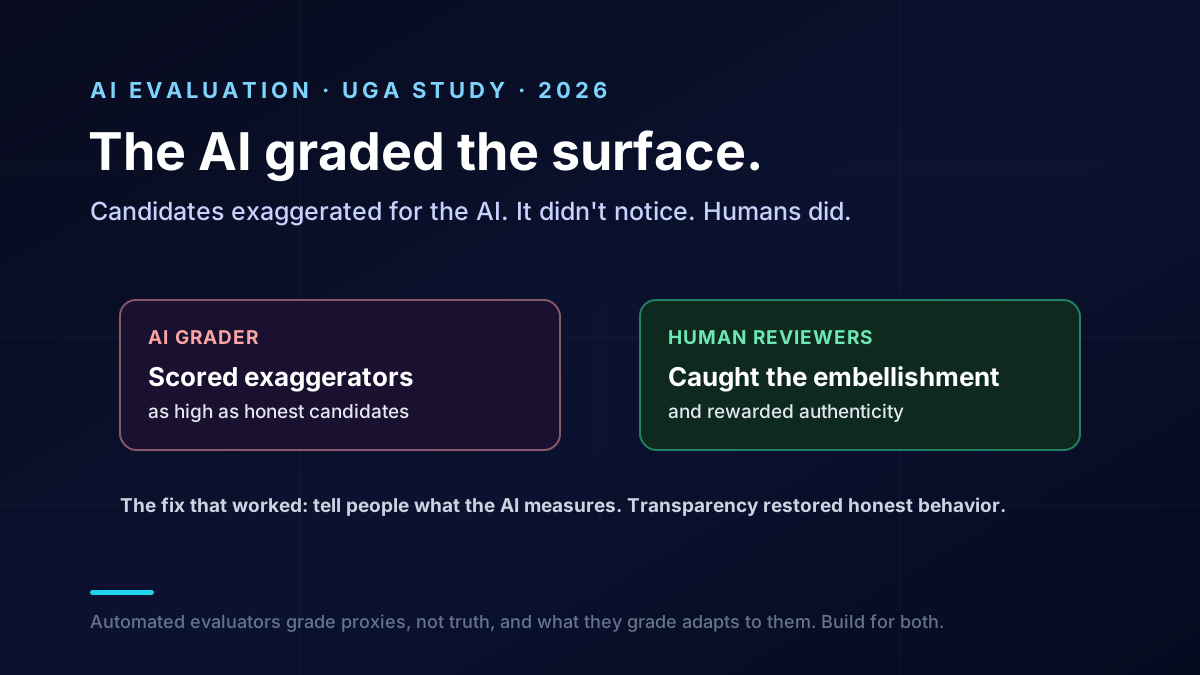
What AI Job Interviews Reveal About AI Evaluation
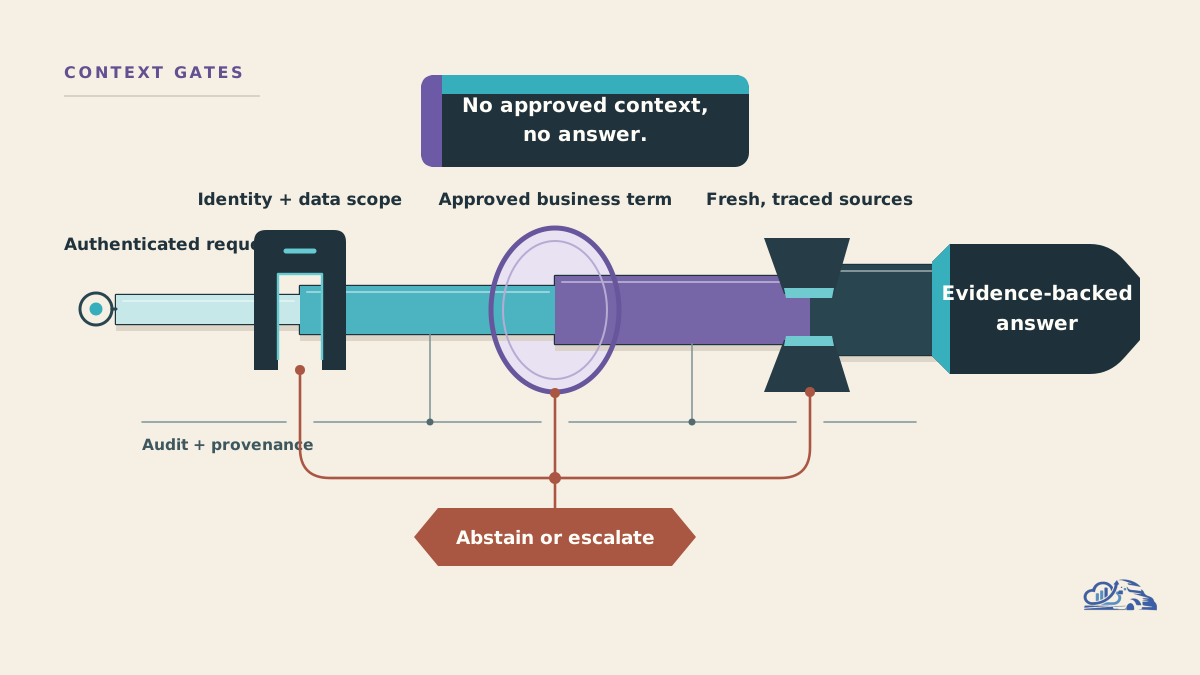
Microsoft Databricks Partnership Expands for Governed AI