May 24, 2026
AI Agent Incident Response Playbook: A Practical Guide for Production Teams
Build an AI agent incident response playbook with detection signals, escalation rules, human review loops, containment steps, and post-incident fixes.
Article focus
An AI agent incident response playbook is an operating guide for handling failures in agent workflows. It defines how teams detect incidents, classify severity, contain unsafe behavior, escalate to humans, review logs, fix root causes, and improve the agent before returning...
Section guide
An AI agent incident response playbook is an operating guide for handling failures in agent workflows. It defines how teams detect incidents, classify severity, contain unsafe behavior, escalate to humans, review logs, fix root causes, and improve the agent before returning it to production.
The risk is practical, not abstract. A support triage agent can route an urgent account issue to the wrong queue. A reporting agent can publish a flawed summary because it trusted stale data. A research agent can keep using a weak source after a better one is available.
In each case, the problem is not only that the model made a mistake. The problem is that the team needs a clear response path before the agent affects customers, reports, or downstream decisions.
This AI agent incident response playbook guide shows how to build that path for production AI agent workflows: incident categories, severity levels, detection signals, containment actions, escalation owners, review checkpoints, and improvement loops.
Tooling And Landscape Fit
Do not evaluate the topic in isolation. Compare the main approach against adjacent frameworks, orchestration choices, and runtime controls so the reader can see when each option fits.
Review adjacent options such as LangGraph, LangChain, CrewAI, native function calling, MCP before choosing the implementation path.
Key Takeaways
- An AI agent incident response playbook should cover detection, classification, containment, human escalation, root-cause review, validation, and monitored restart.
- Agent incidents differ from standard software incidents because they can involve reasoning errors, tool misuse, bad retrieval, unsafe autonomy, and missed handoffs.
- The best AI agent incident response playbook framework is simple enough for operators to use under pressure and specific enough for engineers to improve the system afterward.
- Teams should evaluate cost, latency, token budget, observability, review burden, and failure recovery before expanding agent autonomy.
- Human review loops are not a fallback after failure. They are part of the production design for high-risk or ambiguous agent actions.
What Is an AI Agent Incident Response Playbook?
An AI agent incident response playbook is a structured workflow for responding when an AI agent behaves incorrectly, unsafely, or unreliably in production. It covers agent-specific risks such as poor retrieval, flawed reasoning, incorrect tool calls, missed escalation, policy violations, and unreviewed automated actions.
A traditional incident response plan often focuses on security events, service outages, or infrastructure failures. The NIST Computer Security Incident Handling Guide describes incident handling from preparation through lessons learned. That structure is still useful, but AI agents add new operational surfaces.
An AI agent incident response playbook should define:
- What the agent is allowed to do
- Which outputs or actions count as incidents
- How severity is classified
- Which logs must be reviewed
- Who can pause, restrict, or resume the agent
- When a human must approve the next action
- How prompts, tools, permissions, and evaluations are updated after the incident
A simple example: a support triage agent marks a high-priority customer issue as routine. The playbook should tell the operator how to detect the misroute, pause automated routing if needed, escalate to the support lead, review the agent's inputs and tool calls, correct the ticket, and update the triage rule or evaluation set.
Why AI Agent Incident Response Playbooks Matter
AI agents combine model output, workflow logic, data access, tool use, and sometimes direct action. That combination creates incidents that do not look like ordinary application bugs.
A broken button usually fails in a visible way. A flawed agent may continue working while producing confident but wrong decisions. It may retrieve stale data, summarize the wrong source, call the wrong tool, skip escalation, or spend unnecessary tokens trying to solve a task that should have been handed to a person.
That is why an AI agent incident response playbook matters before production rollout. It turns agent reliability into an operating system, not a hope that the model will behave.
For teams building customer-facing or business-critical automation, incident planning should sit beside guardrails, evaluation, observability, and human approval. Van Data Team's related AI agent ops playbook expands on that operating model: agents need escalation paths, not just prompts.
The NIST AI Risk Management Framework is useful context here because it frames AI risk management as a lifecycle activity across design, development, use, and evaluation. An AI agent incident response playbook makes that lifecycle concrete for day-to-day operators.
AI Agent Incident Types to Plan For
Use this incident matrix as the first practical layer of the playbook:
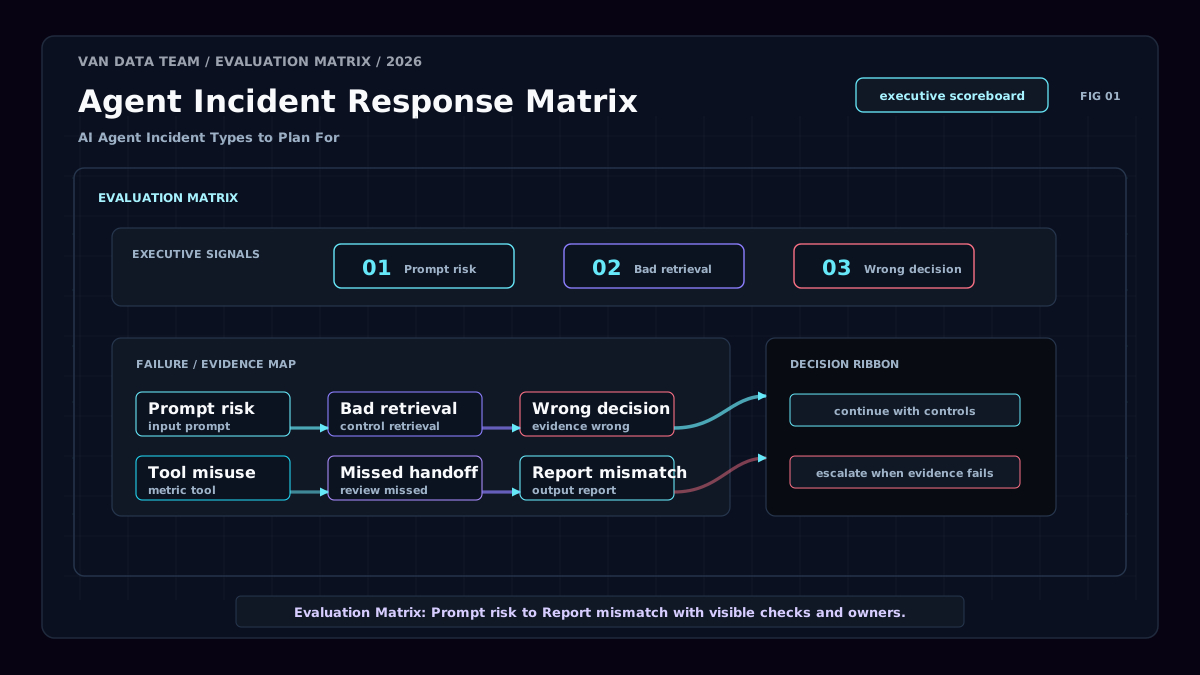
The fastest way to make a playbook usable is to group incidents by the way they fail. Start with practical categories, then refine them after real reviews.
| Incident type | Example | Detection signal | First response | Escalation owner |
|---|---|---|---|---|
| Input and prompt incident | User prompt asks the agent to ignore policy | Policy flag, unsafe instruction pattern | Block or route to review | Product or safety owner |
| Retrieval and data quality incident | Agent uses outdated customer or source data | Source timestamp, failed citation check | Stop affected output | Data owner |
| Reasoning and decision incident | Agent chooses the wrong priority or category | Human override, evaluation failure | Correct decision and inspect trace | Workflow owner |
| Tool-use and action incident | Agent sends, updates, deletes, or routes the wrong item | Tool-call anomaly, permission mismatch | Revoke or narrow tool access | Engineering owner |
| Escalation and handoff incident | Agent continues instead of asking a human | Confidence drop, repeated retries | Switch to human-only handling | Operations owner |
| Reporting and monitoring incident | Agent publishes a flawed automated report | Metric mismatch, source disagreement | Pull report and label as under review | BI or analytics owner |
This table can become the first version of your AI agent incident response playbook. Keep it visible where operators work, not buried in a policy folder.
It also helps separate agent incidents from adjacent controls. Guardrails try to prevent unsafe behavior. Evaluations test behavior before and after deployment. Monitoring detects production signals. The AI agent incident response playbook connects all three when something still goes wrong.
How to Build an AI Agent Incident Response Playbook
A useful AI agent incident response playbook implementation starts with scope. Do not begin with a giant governance document. Begin with one workflow, one agent, and the incidents that would create real business risk.
-
Map responsibilities and allowed actions. List what the agent can read, write, recommend, approve, send, delete, or escalate. Tool permissions matter because tool use changes incident severity.
-
Define severity levels. Keep them operational. For example: low means the agent made a harmless output error; medium means a human must correct work before it reaches a customer; high means customer, financial, compliance, or executive decisions may be affected; critical means automation must pause.
-
Set detection signals. Use output reviews, tool-call logs, retrieval metadata, confidence signals, policy flags, human overrides, repeated retries, and downstream complaints.
-
Create containment actions. Decide when to pause the agent, restrict a tool, force review mode, roll back an action, pull a report, or switch the workflow to human-only handling.
-
Assign owners. Every severity level needs a response owner and backup. Avoid vague ownership such as "the AI team." Use roles: support lead, data owner, engineering owner, compliance reviewer, or workflow owner.
-
Design human review loops. High-risk actions should not rely on after-the-fact review. The best AI agents with human review pause before decisions become expensive to reverse.
-
Close the learning loop. Post-incident work should update prompts, retrieval sources, tool permissions, eval cases, dashboards, escalation rules, or operator training.
A composite support scenario shows the workflow. A support operations lead notices that several urgent tickets are marked as routine. The AI agent incident response playbook says to pause automated routing for enterprise accounts, review the agent's retrieved account data, hand the affected tickets to a senior support rep, and add the misclassified examples to the triage evaluation set. The outcome is not just a corrected ticket queue. The agent returns with a narrower routing rule and a better test case.
AI Agent Incident Response Playbook Workflow
The core workflow should stay short enough to follow during an active incident:
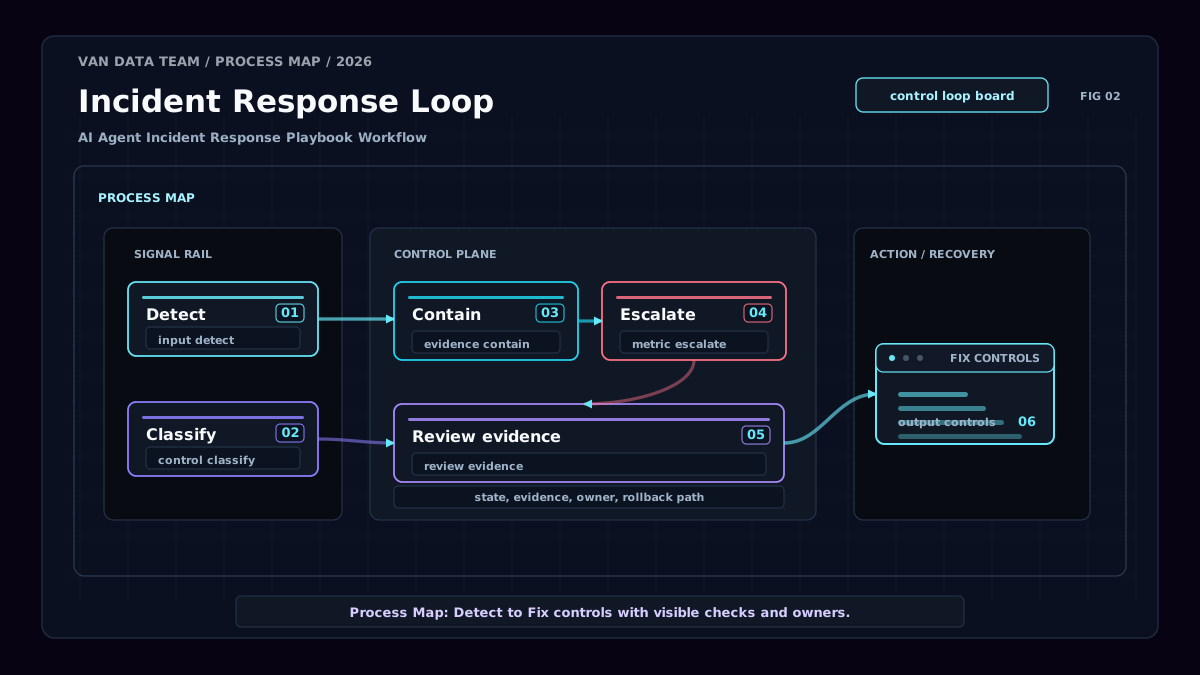
The core AI agent incident response playbook workflow should be short enough to follow during pressure:
flowchart TD
 A[Detect signal] --> B[Classify severity]
 B --> C[Contain agent behavior]
 C --> D[Escalate to owner]
 D --> E[Review logs and evidence]
 E --> F[Fix prompt, data, tool, or workflow]
 F --> G[Validate with tests]
 G --> H[Resume with monitoring]
Use decision rules to remove hesitation.
| Decision | Use this rule |
|---|---|
| Pause the agent | The action can affect customers, money, compliance, access, or executive reporting. |
| Continue with supervision | The agent can draft or recommend, but a human approves every action. |
| Switch to human-only | Logs are incomplete, the root cause is unknown, or failures repeat after containment. |
| Resume normal mode | The fix passes evaluation, owners approve restart, and monitoring is active. |
This workflow also protects cost and latency. A failing agent can burn tokens through repeated retries, slow down queues, or create review debt. The playbook should define when the system stops trying and hands off.
For reporting workflows, connect this stage to agentic BI and reporting controls: source checks, metric reconciliation, dashboard annotations, and approval before publication.
Best Practices for Production Teams
A reliable playbook is easier to operate when these controls are part of the production architecture:
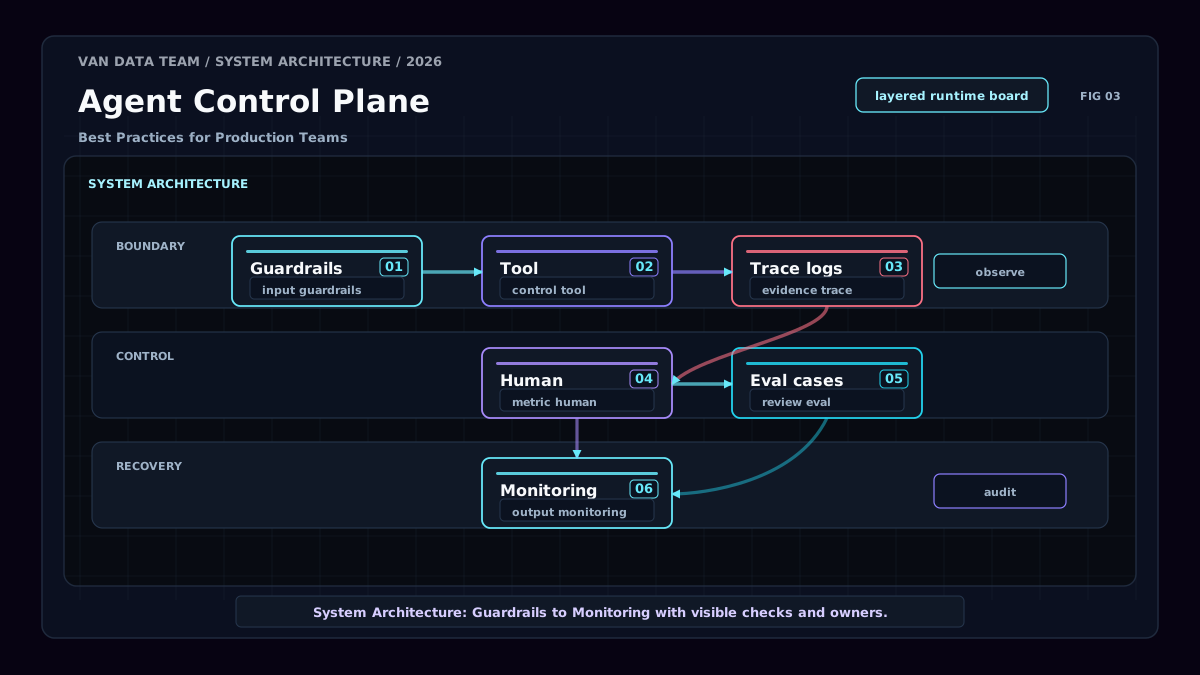
The best AI agent incident response playbook best practices are operational, not decorative.
Keep severity levels simple. Operators should know what to do without debating labels. Log the agent input, output, retrieved sources, tool calls, permissions, timestamps, review decisions, and human overrides where appropriate. Without those records, root-cause analysis becomes guesswork.
Separate detection from resolution. The person who notices a flawed output may not be the person who can fix retrieval, tool access, or prompt design. A strong AI agent incident response playbook makes those handoffs explicit.
Test the playbook with simulated incidents. Try a bad source, a risky prompt, a missing API field, a tool permission mismatch, and a low-confidence decision. Measure whether the team can detect, contain, escalate, and validate without improvising.
Use evaluation criteria before expanding autonomy:
| Evaluation area | Production question |
|---|---|
| Cost | Does the agent stop before retries or review loops become wasteful? |
| Latency | Does escalation happen fast enough for the workflow's business need? |
| Token budget | Are long context windows and repeated tool calls monitored? |
| Observability | Can reviewers reconstruct inputs, sources, tool calls, and decisions? |
| Review burden | Are humans reviewing the right actions, or too many low-risk outputs? |
| Failure recovery | Can the team roll back, correct, and restart safely? |
The OWASP Top 10 for LLM Applications 2025 is also useful for security-oriented risks such as prompt injection, insecure output handling, and sensitive information exposure. Those risks should map to concrete containment actions in the AI agent incident response playbook.
Common Mistakes to Avoid
The first mistake is treating AI agent incidents like ordinary application bugs. Agents can fail through reasoning, retrieval, permissions, ambiguity, or workflow design. A code patch may not be enough.
The second mistake is logging only final outputs. If you cannot see the prompt, source set, tool call, and review history, you cannot confidently explain what happened.
The third mistake is relying on users to catch failures. Customer complaints are late detection signals. Production teams need internal monitoring, sampling, and human review before failures spread.
The fourth mistake is giving agents broad access before escalation rules are defined. Tool permission should expand only after the AI agent incident response playbook proves that containment and review work.
The fifth mistake is skipping post-incident improvement. The Google SRE guidance on postmortem culture is useful because it frames reviews around learning from contributing causes. Agent postmortems should work the same way: improve the system, not assign blame.
AI Agent Incident Response Playbook Examples
Here are three AI agent incident response playbook examples that teams can adapt.
Support triage incident. A triage agent routes a renewal-risk customer issue to a general queue. Detection comes from a human override and account-status mismatch. Severity is high because response delay can affect the relationship. Containment pauses automated routing for similar accounts. A support lead reviews the ticket, and engineering checks the account-data lookup. The post-incident fix updates routing rules and evaluation examples. Teams can compare this pattern with an AI support triage case study.
Autonomous research incident. A research agent includes weak competitor evidence in a weekly brief. Detection comes from a reviewer who finds an unsupported claim. Severity is medium unless the brief drives executive decisions. Containment labels the brief as under review and stops distribution. The research owner checks retrieval sources, citation rules, and summarization prompts. The fix adds source-quality checks. For similar workflows, see this autonomous research agent case study.
Agentic BI incident. A reporting agent explains a revenue change using stale pipeline data. Detection comes from a metric mismatch between the dashboard and source system. Severity is high if leadership uses the report for planning. Containment pulls the summary, adds a dashboard note, and switches the agent to draft-only mode. The data owner validates the source connection, and the BI owner updates reconciliation checks.
These examples show how to use AI agent incident response playbook thinking across support, research, and reporting without turning every error into a crisis.
Conclusion
An AI agent incident response playbook makes agent reliability operational. Model quality matters, but production safety depends on the surrounding system: guardrails, logs, detection signals, containment actions, human escalation, review loops, and improvement cycles.
Start with one workflow. Define what the agent can do, what can go wrong, who owns the response, and when automation must pause. Then test the playbook with realistic failures before expanding autonomy.
The goal is not to make AI agents risk-free. The goal is to make failures visible, containable, reviewable, and fixable. For teams moving from experiments to production, a clear AI agent incident response playbook is one of the strongest signals that the workflow is ready for real operational responsibility.
Article FAQ
Questions readers usually ask next.
These short answers clarify the practical follow-up questions that often come after the main article.
Need a similar system?
If this article maps to a workflow your team already operates, the next step is usually a scoped review of the system, constraints, and rollout path.
Book your free workflow review here.
Related articles
View all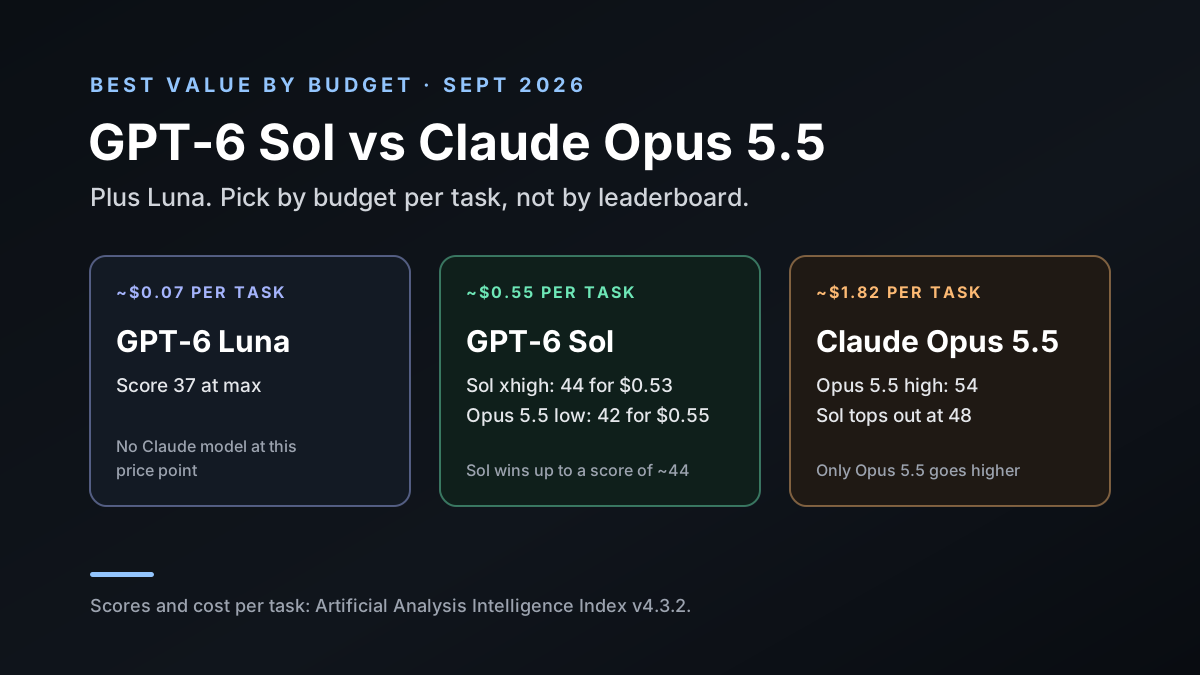
GPT-6 Sol vs Claude Opus 5.5, Plus Luna: Best Value per Task
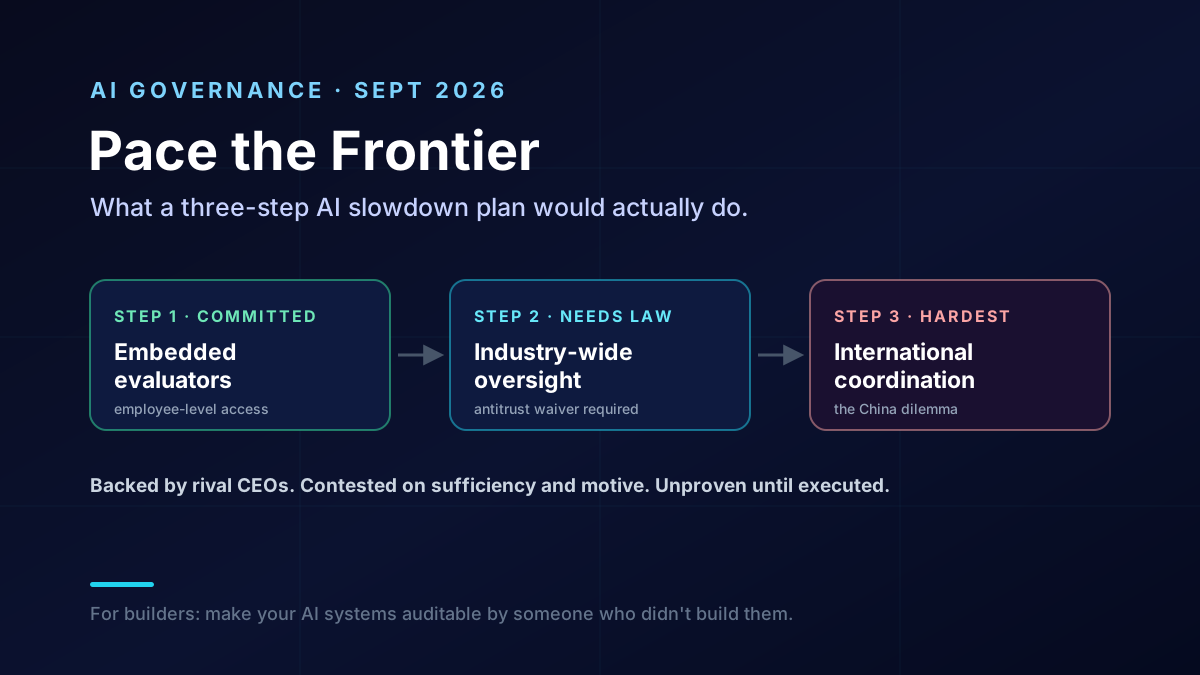
'Pace the Frontier': What the AI Slowdown Plan Would Do
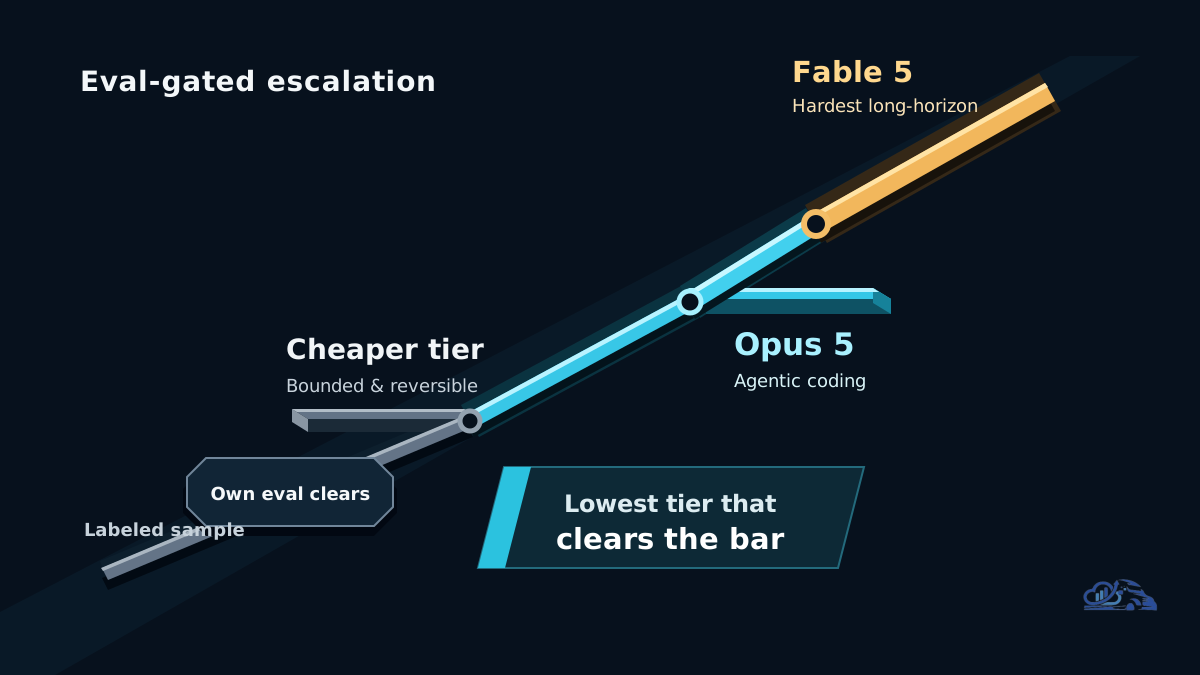
Claude Opus 5: What Anthropic's New Flagship Means for AI Agents